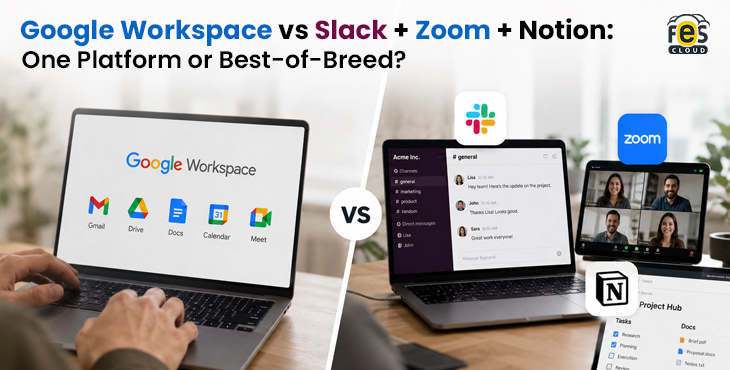
Every growing Indian business faces the same question at some point: do we buy one integrated platform, or do we pick the best tool for each job?
The “best-of-breed” argument sounds logical. Slack is great for messaging. Zoom is great for video calls. Notion is great for documents and knowledge management. Why not use all three?
The answer, for most Indian SMEs, comes down to three things: total cost, hidden overhead, and what happens when tools do not talk to each other. When you add up the real ₹ cost of running Slack + Zoom + Notion alongside the productivity tax of switching between three separate platforms — and compare that to what Google Workspace Business Standard costs at ₹864/user/month with everything included — the comparison looks very different from the marketing pitch.
This guide breaks it down honestly. There are cases where the best-of-breed stack genuinely wins. But for most Indian teams, the numbers and the practical reality point in one direction.
The Real Cost Comparison in ₹
This is the table most comparison guides avoid showing. Let us build it honestly.
Best-of-Breed Stack: Slack + Zoom + Notion
| Tool | Plan | Approx. ₹ per user/month (annual) |
|---|---|---|
| Slack | Pro | ~₹610 |
| Zoom | Pro | ~₹1,100 |
| Notion | Plus | ~₹670 |
| Total | ~₹2,380/user/month |
Google Workspace (via FES Cloud)
| Plan | ₹ per user/month (annual) | What’s included |
|---|---|---|
| Business Starter | ₹270 | Gmail, Chat, Meet (100), Docs, Drive, Calendar |
| Business Standard | ₹864 | Everything above + recording, 2TB, Shared Drives, Gemini AI |
| Business Plus | ₹1,700 | Everything above + Vault, DLP, 500-participant Meet |
Side-by-Side Cost for a 20-Person Team (Annual)
| Stack | Per user/month | Annual cost (20 users) |
|---|---|---|
| Slack Pro + Zoom Pro + Notion Plus | ~₹2,380 | ~₹5,71,200 |
| Google Workspace Business Standard | ₹864 | ₹2,07,360 |
| Saving with Google Workspace | ~₹3,63,840/year |
For a 20-person Indian SME, running the best-of-breed stack costs approximately ₹3.6 lakh more per year than Google Workspace Business Standard. That is money that could fund a new hire, a marketing campaign, or six months of additional runway.
The cost gap only widens at scale. At 50 users, the annual saving approaches ₹9 lakh. At 100 users, it exceeds ₹18 lakh per year.
Stop Overpaying for Three Tools You Can Replace with One
Running Slack, Zoom, and Notion together costs your team up to ₹2,380/user/month. Google Workspace Business Standard gives you all of it — plus Gemini AI — at ₹864/user/month through FES Cloud.
Feature-by-Feature Breakdown
Cost alone does not tell the whole story. Let us compare what each tool actually does — and whether Google Workspace’s equivalents are genuinely competitive.
Messaging: Slack vs Google Chat
Slack is the gold standard for team messaging. Its strengths are real: a polished interface, 2,400+ app integrations, Slack Huddles for quick audio calls, and a deeply searchable message history on paid plans. Teams that live in Slack love it — the workflow is fast, the notifications are smart, and the integration ecosystem is unmatched.
Google Chat is not Slack. It is simpler, less feature-rich, and has fewer third-party integrations. What it does have is deep integration with every other Google Workspace app — files shared from Drive appear as previews, Calendar events link directly, Meet calls start in one click, and message history is fully searchable without a paid upgrade.
For most Indian teams, the honest question is: do you need Slack’s integration depth and polished UX, or do you need a reliable team messaging tool that works seamlessly with your email, files, and meetings? If the answer is the latter — and for most teams it is — Google Chat is sufficient and saves ₹610/user/month.
Verdict: Slack wins on features and UX. Google Chat wins on value, integration, and total cost. For teams that do not have a strong existing Slack culture, Chat is the practical choice.
Video Conferencing: Zoom vs Google Meet
Zoom remains the most widely recognised video conferencing platform in India. Its video quality is reliable, its interface is familiar, and Zoom AI Companion — included in all paid plans from 2025 — adds transcripts and summaries at no extra cost. Zoom Pro at ~₹1,100/user/month is a significant per-user expense, particularly for Indian SMEs where not everyone hosts meetings regularly.
Google Meet is tightly integrated into Google Workspace. Meeting links are generated automatically in Calendar events. Recordings save directly to Drive. AI transcripts and action items are generated automatically after every call on Business Standard and above. Noise cancellation and Studio Look handle the reality of Indian home offices and varied connectivity environments.
The critical practical difference: with Zoom, you pay ~₹1,100/user/month for every user, even those who rarely host meetings. With Google Workspace, Meet is included in your existing plan — a user who attends three internal meetings a week costs nothing extra.
Verdict: Zoom has a slight edge in standalone video quality and familiarity. Google Meet wins decisively on cost, Calendar integration, and the fact that it is already included in what you are paying for.
For more on how Meet fits into a distributed or hybrid workforce specifically, see our guide to remote work with Google Meet.
Documents and Knowledge Management: Notion vs Google Docs + Sites
Notion is genuinely excellent for knowledge management, team wikis, project databases, and structured documentation. Its block-based editor is flexible, its database views (table, board, calendar, gallery) are powerful, and teams that build their operating system in Notion tend to become deeply dependent on it in a positive way. For teams where knowledge management is a primary workflow — digital agencies, product teams, content operations — Notion is a serious tool.
Google Docs + Drive + Sites cover the collaboration and document creation use case well, but do not replicate Notion’s database and wiki capabilities. Google Docs is better for collaborative writing and document review. Notion is better for structured knowledge bases, project tracking boards, and linking information across multiple data types.
This is the most nuanced comparison in the stack. If your team’s primary need is document collaboration — writing, reviewing, editing — Google Docs handles it better than Notion. If your team needs a structured company wiki, linked project databases, and a central knowledge hub — Notion does things Google Workspace cannot.
Verdict: This is the one area where best-of-breed has a genuine case. Notion wins for structured knowledge management. Google Docs wins for document collaboration. Teams that need both sometimes run both — but at ₹670/user/month, Notion adds meaningful cost.
The Hidden Costs Most Teams Miss
The ₹2,380/user/month estimate for the best-of-breed stack is actually conservative. Here is what most cost comparisons leave out.
Context-Switching Tax
Research consistently shows that switching between applications costs more than the time of the switch itself — it disrupts focus, requires re-orientation, and increases the likelihood of missing information shared in one tool that is relevant to work happening in another.
A team running Slack, Zoom, Notion, and Gmail (or Outlook) is switching between four separate environments dozens of times per day. A team on Google Workspace stays in one ecosystem — Chat, Meet, Drive, and Docs are all accessible from the same interface, with the same login, on the same mobile app.
This productivity cost is difficult to quantify precisely, but it is real, and it compounds daily across every member of your team.
Integration Maintenance Overhead
Getting Slack, Zoom, and Notion to work together requires integrations — Zoom links in Slack, Notion documents shared in Slack channels, Zoom recordings uploaded to Notion. These integrations require setup, maintenance, and break when any one of the three tools updates its API or pricing structure.
For Indian SMEs without a dedicated IT team, this maintenance overhead falls on whoever is most technical — usually a developer, a product manager, or an operations lead who has better things to do.
Onboarding Complexity
Every new team member joining a best-of-breed stack needs to be set up on three separate platforms, trained on three separate workflows, and added to the correct channels, workspaces, and databases in each. With Google Workspace, a new user is added to the Admin Console once — and has access to Gmail, Chat, Drive, Meet, Docs, and Calendar immediately.
For Indian companies growing quickly — adding 5, 10, or 20 people in a quarter — this onboarding difference compounds into significant time spent by managers and IT administrators.
Notion AI Add-On Cost
Notion AI is not included in the Plus plan (₹670/user/month). Full Notion AI — including AI Agents and Ask Notion — requires the Business plan at approximately ₹1,250/user/month, nearly doubling the Notion cost. If you are comparing a full AI-enabled best-of-breed stack, the per-user cost rises to approximately ₹2,960/user/month, widening the gap with Google Workspace Business Standard (₹864, Gemini AI included) further.
GST and Compliance in India
This is a practical issue that most comparison guides written for a global audience completely ignore — but it matters significantly for Indian businesses.
Google Workspace via FES Cloud: Purchasing through a certified Google Workspace reseller in India means every invoice is GST-compliant. Input Tax Credit (ITC) is available, effectively reducing your real cost by 18% if your business is GST-registered.
Slack: Bills in USD via Slack Technologies (US entity). No Indian GST invoice. Indian businesses must self-assess reverse-charge GST at 18% in their GSTR-3B filing. Many businesses miss this — effectively paying 18% extra without realising it.
Zoom: Available through Indian resellers with GST-compliant invoicing. Purchasing directly from Zoom’s website bills in USD without GST compliance. Verify your purchase channel carefully.
Notion: Bills via Notion Labs Inc. (US entity). No Indian GST invoice. Same reverse-charge obligation as Slack — frequently overlooked, resulting in the effective cost being 18% higher than the listed price.
For a 20-person team spending ₹5,71,200/year on Slack + Zoom + Notion, the GST compliance gap on Slack and Notion alone adds approximately ₹54,000–₹72,000 in self-assessed GST liability that many businesses are not accounting for.
Google Workspace through FES Cloud eliminates this complexity.
For the full mechanics of GST, Input Tax Credit, and billing on Google Workspace in India, see our dedicated pricing and GST guide.
When Best-of-Breed Makes Sense
To be direct: there are genuine cases where running Slack, Zoom, or Notion alongside or instead of Google Workspace is the right decision.
Slack makes sense if:
- Your team already has a deeply embedded Slack culture with 50+ channels, workflows, and integrations built over years
- You rely heavily on Slack-specific integrations like Salesforce, PagerDuty, or GitHub that are central to your operations
- Your team is primarily a remote-first engineering or product team where Slack’s async culture and threading model are genuinely superior
Zoom makes sense if:
- You host large external webinars or client events regularly (Zoom Webinars is more mature than Google Meet’s equivalent)
- Your clients or partners are strongly Zoom-native and resist other platforms
- You require Zoom Phone as part of a unified communications strategy
Notion makes sense if:
- Your team’s primary workflow is building and maintaining a structured company wiki or operating system
- You run a content, product, or design team where Notion’s database views and linked databases are central to how you track work
- Your documentation needs go significantly beyond what Google Docs and Drive can handle
The key question is whether you need these tools’ specific advanced capabilities — or whether you need what they do at a base level. For most Indian SMEs, the answer is the latter, and Google Workspace handles it at a fraction of the cost.
When Google Workspace Wins
Google Workspace is the stronger choice when:
You are setting up a new team from scratch: No legacy tool dependencies means no switching cost. Starting on Google Workspace gives you a single platform, one login, one admin panel, and one invoice from day one.
Cost efficiency matters: At ₹864/user/month for Business Standard, Google Workspace replaces tools that would cost ₹2,380+/user/month in a best-of-breed stack. For a 20-person Indian SME, that saving is real money.
You need GST-compliant invoicing and ITC: Through FES Cloud, every Google Workspace invoice is GST-compliant. This is not possible with Slack or Notion purchased directly.
Your team is not deeply technical: Google Workspace’s Admin Console is manageable without an IT specialist. Maintaining integrations across Slack + Zoom + Notion requires ongoing technical attention.
AI is a priority without an AI budget: Gemini AI is included in Business Standard at ₹864/user/month. Notion AI requires upgrading to the Business plan (~₹1,250/user/month). Microsoft 365 Copilot costs ~₹2,495/user/month on top of the base plan. Google Workspace is the most cost-effective way to give every team member access to a production-ready AI assistant in 2026.
See our full breakdown of what Gemini AI unlocks at each plan tier for specific use cases beyond cost comparison.
Your team is hybrid or distributed across Indian cities: Google Workspace’s mobile apps, offline editing, and consistent cross-device experience are specifically well-suited to India’s hybrid workforce — commuting, field work, Tier-2 city connectivity gaps included.
See our detailed guide on hybrid work models with Google Workspace for specific features built for distributed teams.
Recommendation by Team Type {#recommendation}
Early-Stage Startup (1–20 people)
Recommendation: Google Workspace Business Standard (₹864/user/month)
At this stage, every rupee matters and every hour spent on tool maintenance is an hour not spent on the product or customers. Google Workspace gives you everything you need in one place. Do not build a three-tool stack at this stage — the integration overhead is not worth it.
For a deeper look at getting a new startup set up on Google Workspace from day one, see our complete startup guide.
Growing SME (20–100 people)
Recommendation: Google Workspace Business Standard, with Notion only if knowledge management is critical
At this size, evaluate whether your team genuinely needs Notion’s database capabilities or whether a well-structured Google Drive with Docs handles your documentation needs. If you do add Notion, treat it as a deliberate addition for a specific use case — not a default replacement for Google Docs.
Mid-Market Company (100–500 people)
Recommendation: Google Workspace Business Plus (₹1,700/user/month), evaluate Slack only if deeply embedded
At this scale, security and compliance matter more. Business Plus provides Vault, DLP, and advanced controls. For a complete walkthrough of Workspace’s security architecture — including DLP setup, Vault, and DPDP compliance — see our Google Workspace security guide. Slack may be worth retaining if it is genuinely embedded in engineering or product workflows — but run a real cost-benefit analysis against the Google Workspace alternative before renewing Slack licenses.
Enterprise (500+ people)
Recommendation: Google Workspace Enterprise + evaluate best-of-breed selectively by department
At enterprise scale, different departments may genuinely need different tools. Engineering teams might need Slack. Product teams might need Notion. The answer is not one-size-fits-all, but the default should be Google Workspace with deliberate additions — not a fragmented stack by default.
Get Google Workspace Through FES Cloud
FES Cloud is an authorised Google Workspace reseller in India, serving 250+ businesses since 2001. We handle migration from any existing tool stack, GST invoicing, user onboarding, training, and 24/7 local support in Hindi and English.
Curious what buying through a reseller actually gets you over going direct to Google? See our guide on the benefits of buying Google Workspace from an Indian reseller.
Ready to Simplify Your Tool Stack and Cut Costs?
Get expert help choosing the right Workspace plan for Business the right way with local support in India.
Current pricing (per user/month, annual billing, excl. GST):
| Plan | Price | What’s included |
|---|---|---|
| Business Starter | ₹270 | Gmail, Chat, Meet, Docs, Drive, Calendar |
| Business Standard | ₹864 | Everything + recording, 2TB, Shared Drives, Gemini AI |
| Business Plus | ₹1,700 | Everything + Vault, DLP, 500-participant Meet |