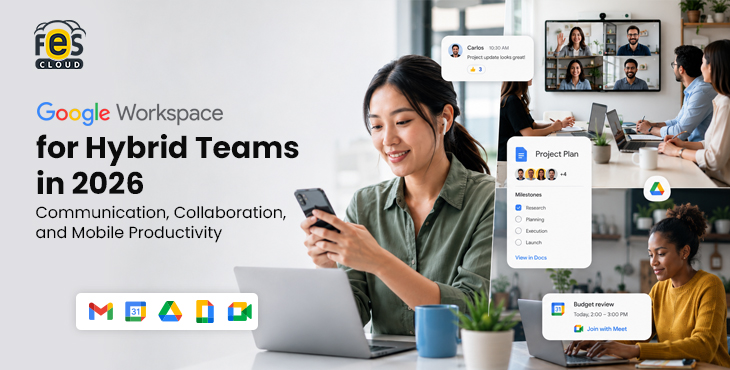
Nearly 70% of organisations in India’s technology sector have adopted a hybrid work model, according to NASSCOM — and that number has continued to grow into 2026 as hybrid becomes the default, not the exception, across IT, SaaS, finance, marketing, and professional services. Hybrid teams face a specific set of problems that fully in-office or fully remote teams do not. Meetings are split between people in a room and people on a screen. Files get saved in personal drives and forgotten when someone is out. Decisions made at the office on Tuesday are unknown to the team working remotely on Wednesday. Communication fragments across WhatsApp, email, and whatever video tool someone happened to start a call on.
Google Workspace is built around exactly this reality. It is not a collection of individual tools that happen to work together — it is a single platform designed so that every conversation, file, meeting, and task exists in one connected environment, accessible from any device, in any location, at any time.
This guide breaks down exactly how Google Workspace supports hybrid teams in India — by feature, by use case, and by team size — with pricing through FES Cloud.
The Hybrid Work Problem Google Workspace Solves
Before getting into features, it is worth naming the specific problems hybrid teams face — because the best tools are the ones that solve real problems, not the ones with the longest feature list.
Problem 1: Information lives in too many places.
A decision is made on a Teams call, noted in someone’s personal OneDrive, referenced in a WhatsApp message, and then it is impossible to find three weeks later. Hybrid teams accumulate information silos faster than fully in-office teams because there is no single shared physical space to anchor information.
Problem 2: Meetings leave remote participants behind.
When half the team is in a conference room, and the other half is on screen, the in-room conversation dominates. Remote participants miss side conversations, whiteboard content, and the post-meeting hallway discussion where real decisions often get made.
Problem 3: File ownership creates chaos when people leave or change roles.
If files live in an individual’s personal drive, they leave with that person. Hybrid teams — which often have higher employee mobility — repeatedly suffer from this.
Problem 4: Mobile workers are second-class citizens on most platforms.
Tools built for desktop use become frustrating on mobile. A salesperson reviewing a proposal on the Mumbai Metro or a field engineer checking a document at a client site in Pune should have the same experience as someone at a desk in Bangalore.
Google Workspace addresses all four problems — not through workarounds, but by design.
Gmail and Google Chat — Communication That Works Everywhere
Gmail: More Than Email
For hybrid teams, Gmail functions as the central communication layer — not just for external correspondence, but as the thread that connects everything else.
The experience is identical on desktop and mobile. Labels and filters automatically organise high-volume inboxes. Smart replies and Gemini AI’s “Help me write” feature reduce the time spent drafting routine messages. AI thread summarisation lets a team member who has been in client meetings all morning catch up on 20 emails in two minutes.
Critically, Gmail integrates directly with Calendar, Meet, Chat, and Drive — so when a colleague sends a document for review, you can open it, comment on it, schedule a meeting to discuss it, and start a chat about it without leaving Gmail. For hybrid teams where context-switching is a constant friction point, this integration saves meaningful time every day.
Google Chat: Real-Time and Asynchronous Messaging
Google Chat handles the conversations that do not need to be emails and do not need to be meetings, which, for most hybrid teams, is the majority of daily communication.
Chat spaces (formerly called Rooms) are project or team-based channels where conversations, files, and tasks stay together. Unlike WhatsApp groups, Chat spaces are searchable, integrated with Drive, and accessible to new team members who need historical context. Unlike Slack, Chat is included in every Google Workspace plan at no extra cost.
For hybrid teams, the asynchronous nature of Chat is particularly valuable. A manager in Delhi can leave a message at 6 pm; a team member in Hyderabad working different hours can respond when they log in. The conversation is preserved, searchable, and connected to the relevant files — not buried in a WhatsApp scroll.
Direct messages in Chat sync instantly across desktop and mobile, with push notifications that are less intrusive than email but faster than waiting for a reply.
Google Meet — Video Conferencing Built for Hybrid Work
Google Meet in 2026 is not just a video call tool — it is designed specifically for the hybrid meeting scenario where some participants are in a room, and others are remote.
Participant Limits by Plan
| Plan | Meet Participants | Recording | Transcripts |
|---|---|---|---|
| Business Starter | 100 | ❌ | ❌ |
| Business Standard | 150 | ✅ | ✅ (AI) |
| Business Plus | 500 | ✅ | ✅ (AI) |
Features That Matter for Hybrid Teams
AI-powered “Take notes for me.”
Every meeting on Business Standard and Plus generates an automatic transcript and a list of action items after the call ends. This solves the single biggest hybrid meeting problem: the person who was not in the room always knows exactly what was decided and what they need to do. No more “I missed that meeting — can someone fill me in?” conversations.
Noise cancellation.
India’s hybrid workforce works from home offices, co-working spaces, Tier-2 city apartments, and field locations. Background noise is a constant reality. Google Meet’s noise cancellation is built into the platform — it requires no additional software and works on both desktop and mobile.
Studio Look.
AI-powered video enhancement automatically adjusts lighting and framing on low-quality webcams or in poor lighting conditions. A team member joining from a dark apartment in Pune looks as professional as a colleague in a well-lit Mumbai office.
Real-time translated captions.
For Indian teams with multilingual members or global clients, live captions with translation support for over 65 languages remove language barriers without requiring a separate translation tool.
Meeting recordings in Drive.
Recordings are saved directly to Google Drive and shared automatically with participants. Remote team members who could not attend due to time zones or schedule conflicts can watch the full recording in their own time, with the AI transcript alongside it.
Companion mode.
When someone in a conference room joins a hybrid meeting from their own laptop while also being physically present, Companion Mode lets them participate in polls, chat, and reactions without creating audio feedback. This is specifically designed for the hybrid room scenario.
Google Drive and Shared Drives — Files That Belong to the Team
For hybrid teams, file management is not a minor administrative concern — it is a core productivity issue. When files are scattered across personal drives, team members waste time tracking down documents, working on outdated versions, or discovering that a critical file has been left with a former employee.
Pooled Storage by Plan
| Plan | Storage | Shared Drives |
|---|---|---|
| Business Starter | 30 GB pooled | ❌ |
| Business Standard | 2 TB pooled | ✅ |
| Business Plus | 5 TB pooled | ✅ |
Why Shared Drives Matter for Hybrid Teams
Shared Drives (available from Business Standard) store files at the organisation level, not the individual level. Every file in a Shared Drive belongs to the team — it cannot be deleted by accident when an employee leaves, cannot be hidden in a personal folder, and does not require a colleague to share it manually every time someone new joins the project.
For a hybrid team where some members are in the office and some are remote, Shared Drives eliminate the “I can’t find that file — can you reshare it?” friction that slows down distributed work. Permissions are set at the Drive level, so new team members get access to everything they need the moment they are added.
Google Drive AI Search
Google Drive’s AI-powered search in 2026 understands natural language queries — not just file names. Searching “the client proposal we sent to Tata last month” will surface the relevant document even if those exact words do not appear in the file name. For hybrid teams managing large volumes of files across multiple projects, this search capability alone recovers significant time every week.
Docs, Sheets, and Slides — Collaboration That Does Not Require a Meeting
One of the most important shifts in hybrid work productivity is the move from synchronous collaboration (we all need to be online at the same time) to asynchronous collaboration (we each contribute when we can).
Google Docs, Sheets, and Slides are built for this model.
Real-Time Co-Editing
Multiple team members can work in the same document simultaneously — with each person’s cursor visible in a different colour. Changes appear instantly for all collaborators. There is no “send me the latest version” back-and-forth, no conflicting copies, and no emailed attachments that immediately become outdated.
Comments and @Mentions
Instead of sending an email to flag a section of a document, team members leave comments directly on the relevant text. @Mentioning a colleague sends them a notification and creates a direct link to the comment. Action items can be assigned within comments, tracked, and marked as resolved — keeping all feedback inside the document rather than scattered across email threads.
For hybrid teams, this means a manager reviewing a presentation at 9 pm can leave detailed feedback for the team to address the next morning — without a meeting, without a phone call, and without the feedback getting lost in an email inbox.
Version History
Every change to a Google Doc, Sheet, or Slide is automatically saved and versioned. You can restore any earlier version with one click, see exactly who changed what and when, and compare versions side by side. For hybrid teams working across time zones or asynchronous schedules, this removes the anxiety of collaborative editing — nothing is ever permanently lost.
Gemini AI in Editors
In 2026, Gemini AI is embedded directly into Docs, Sheets, and Slides. Within Docs, it can draft sections, rewrite tone, and summarise long documents. Sheets can analyse data, suggest formulas, and build charts from plain-language instructions. Meanwhile, Slides generates images, recommends layouts, and can even create a full presentation deck from a Docs outline.
For hybrid teams where not everyone has the same technical skill level, Gemini democratises capabilities that previously required specialist knowledge — making every team member more effective regardless of their location or device.
Google Calendar — Scheduling Across Locations and Time Zones
For hybrid teams, scheduling is one of the highest-friction daily tasks. Finding a time that works for people across different locations, different working patterns, and different time zones takes longer than it should — and it is one of the most preventable sources of meeting overload.
What Google Calendar Does for Hybrid Teams
Shared team calendars.
Every team member’s availability is visible in a shared view. Scheduling a meeting means checking one screen, not sending three rounds of “Does this time work for you?” emails.
Meet integration.
Every calendar event can include a Google Meet link, generated automatically. There is no “what’s the Zoom link?” message five minutes before a call starts. Hybrid team members joining from different locations each have a working link without any manual setup.
Focus time blocks.
Team members can block time for deep work, signalling to colleagues that they are unavailable for meetings. For hybrid workers who need uninterrupted time to do their best work — whether at home or in the office — this reduces the meeting fatigue that hybrid teams commonly experience.
Smart scheduling suggestions.
When creating a meeting, Calendar analyses the schedules of all invitees and suggests optimal times automatically. It also flags when a proposed time falls outside someone’s typical working hours — particularly useful for teams spread across India’s cities and those working with international clients.
Working location indicator.
Team members can mark whether they are working from the office or remotely on any given day. This helps the rest of the team coordinate who to visit in person versus who to call — reducing unnecessary trips and making in-person days more intentional.
Mobile Productivity and Offline Access
India’s hybrid workforce is also a mobile workforce. The Mumbai local train, the Bangalore Namma Metro, a client site in Gurugram, a co-working space in Pune — work happens everywhere, and the tools need to keep up.
What Google Workspace Delivers on Mobile
All Google Workspace apps — Gmail, Drive, Docs, Sheets, Slides, Meet, Chat, Calendar — are fully optimised for iOS and Android. The mobile experience is not a stripped-down version of the desktop — it is a complete working environment.
Offline editing.
Docs and Sheets can be edited without an internet connection. Changes sync the moment connectivity returns automatically. For team members commuting through areas with poor signal or visiting client sites without reliable Wi-Fi, offline mode removes the single biggest mobile productivity blocker.
Biometric login.
Fingerprint and face recognition login replaces password entry on mobile, making it faster and more secure to access files on the go.
QR code device switching.
Signing into Google Workspace on a shared device or a new phone uses QR code authentication — no typing long passwords on a mobile keyboard.
Push notifications.
Chat messages, document comments, and calendar reminders all push to mobile with appropriate priority levels — important notifications come through, routine ones do not interrupt.
For Indian businesses with field sales teams, delivery operations, or employees frequently working from client locations, mobile-first productivity is not a nice-to-have — it is a core requirement that Google Workspace meets without compromise.
Gemini AI for Hybrid Teams
Gemini AI’s value for hybrid teams goes beyond individual productivity features. Its cross-app intelligence is specifically useful for the distributed, asynchronous nature of hybrid work.
Meeting catch-up.
“Take notes for me” in Meet generates transcripts and action items automatically. A team member who missed a call can read the AI summary in two minutes rather than watching a 45-minute recording.
Email triage.
AI thread summarisation in Gmail lets returning team members — coming back from a day at a client site or a day off — catch up on dozens of email threads quickly. Smart replies handle routine responses without requiring full attention.
Asynchronous document review.
Gemini in Docs can summarise a long document and pull out the key points before a team member reads in full — helping distributed teams stay informed without every document requiring a dedicated meeting to discuss.
Cross-app intelligence.
Gemini can pull data from a Sheet to update a summary in Docs, find a specific file in Drive based on a description, or draft an email based on the contents of a document. For hybrid teams where information lives in multiple places, this connective intelligence reduces the time spent hunting for context.
Gemini AI is included in Business Standard (₹864/user/month) and Business Plus (₹1,700/user/month) at no additional cost.
Deep dive: How Gemini AI improves productivity across Google Workspace →
Which Google Workspace Plan Is Right for Your Hybrid Team?
| Feature | Business Starter (₹270) | Business Standard (₹864) | Business Plus (₹1,700) |
|---|---|---|---|
| Gmail + Chat | ✅ | ✅ | ✅ |
| Google Meet | 100 participants | 150 + recording + AI transcripts | 500 + attendance tracking |
| Shared Drives | ❌ | ✅ | ✅ |
| Storage | 30 GB pooled | 2 TB pooled | 5 TB pooled |
| Gemini AI | Basic | Full | Full |
| Mobile apps + offline | ✅ | ✅ | ✅ |
| Google Vault / DLP | ❌ | ❌ | ✅ |
Business Starter — ₹270/user/month
Starter works for very small hybrid teams (under 5 people) with light collaboration needs. The absence of Shared Drives and meeting recording are the two features most hybrid teams miss first. If your team relies on recorded meetings for async review — which most hybrid teams do — Starter is not sufficient.
Order Business Starter via FES Cloud →
Business Standard — ₹864/user/month — Recommended for Most Hybrid Teams
Business Standard is the right plan for the majority of Indian hybrid teams. Meeting recording and AI transcripts solve the async catch-up problem. Shared Drives eliminate file ownership chaos. 2 TB pooled storage handles the reality of growing file volumes. Full Gemini AI supports the distributed, asynchronous work style that hybrid teams rely on.
For any hybrid team with more than 5 people, Business Standard is the plan that matches how you actually work.
Order Business Standard via FES Cloud →
Business Plus — ₹1,700/user/month
Business Plus is right for larger hybrid teams or teams in regulated industries where compliance and security controls matter. 500-participant Meet, attendance tracking, Google Vault, and advanced DLP make it the appropriate choice for companies handling sensitive data across distributed locations.
Order Business Plus via FES Cloud →
Compare all plans in detail: Google Workspace Starter vs Standard vs Plus — complete India comparison →
Get Google Workspace for Your Hybrid Team
Set up Google Workspace with expert migration, onboarding, training, and local support from FES Cloud, an authorised Google Workspace reseller in India.