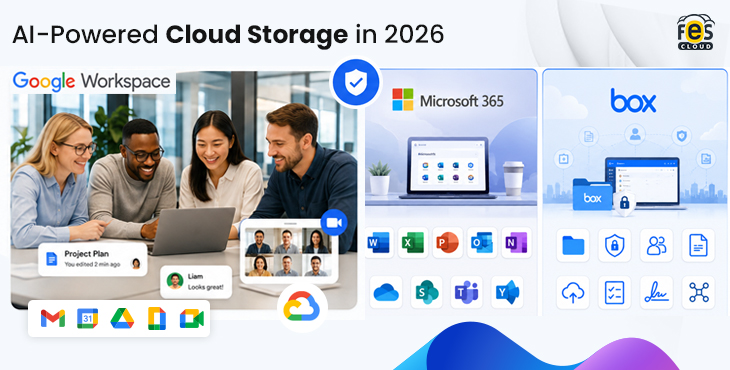
If you work at an Indian company evaluating cloud storage platforms in 2026, you are almost certainly comparing Google Workspace against Microsoft 365 — and possibly Box. The marketing for all three looks similar at first glance: AI features, secure storage, team collaboration, and mobile access.
The differences between these platforms are significant, and they matter more to Indian businesses than most comparison guides acknowledge. Indian IT managers and business owners focus on practical concerns such as pricing in rupees, GST compliance, DPDP Act readiness, the availability of local support, and whether AI features come included or require additional costs.
This guide answers those questions directly, with real ₹ pricing and a clear recommendation based on team size and use case.
The Short Answer
For most Indian SMEs and growing businesses in 2026, Google Workspace Business Standard is the strongest choice — not because it is the cheapest, but because it includes the most complete AI feature set at a price point that makes sense for teams of 10 to 1,000 people. Microsoft 365 is a strong alternative for teams already deeply invested in desktop Office apps. Box serves a specific niche — regulated enterprises needing advanced content governance — but is not cost-effective for most Indian teams at any scale.
Read on for the full breakdown.
Pricing Comparison: Google Workspace vs Microsoft 365 vs Box in India (2026)
This is the most important table in this guide. All prices are per user per month on annual billing, exclusive of GST.
| Plan | Google Workspace (via FES Cloud) | Microsoft 365 | Box |
|---|---|---|---|
| Entry plan | ₹270 (Business Starter) | ~₹145 (Business Basic) | ~₹830 (~$10/user) |
| Mid plan | ₹864 (Business Standard) | ~₹770 (Business Standard) | ~₹1,660 (~$20/user) |
| Advanced plan | ₹1,700 (Business Plus) | ~₹1,830 (Business Premium) | ~₹2,740 (~$33/user) |
| AI add-on cost | ₹0 — Gemini AI included | ~₹2,495/user/month extra for Copilot | Box AI is a paid add-on |
| GST invoice | ✓ via FES Cloud | Varies by reseller | Not standard for India |
| Local support | ✓ 24/7 Hindi & English (FES Cloud) | Varies | Limited in India |
Important note on Microsoft 365 AI: Microsoft 365 Copilot — the AI assistant equivalent to Google’s Gemini — requires a separate licence on top of any base plan. At approximately ₹2,495 per user per month, adding Copilot to Microsoft 365 Business Standard brings the effective per-user cost to over ₹3,265/month. Google Workspace Business Standard at ₹864 includes Gemini AI at no extra charge.
Important note on Box pricing: Box prices are published in USD and billed in foreign currency. Indian businesses purchasing Box do not receive a GST-compliant invoice, which means Input Tax Credit (ITC) is not available — an additional effective cost for GST-registered businesses.
See FES Cloud Google Workspace Plans & Pricing →
AI Features Compared: What Is Actually Included in 2026?
AI is the biggest differentiator between these platforms in 2026 — but the way each platform packages and prices its AI is very different.
Google Workspace — Gemini AI (Included in All Plans)
Gemini AI is built directly into every Google Workspace Business plan at no additional cost. There is no separate licence to purchase, no add-on to activate, and no minimum user count to access AI features.
What Gemini AI does across the Workspace suite:
Gmail: The “Help me write” feature generates full email drafts from a short prompt. AI thread summarisation condenses long email chains into a few sentences. Smart replies suggest responses in context.
Google Docs: Gemini can draft, rewrite, or summarise content based on your instructions. It can pull information from other Workspace files to populate a document automatically.
Google Sheets: Ask Gemini to analyse data, suggest formulas, identify patterns, or generate charts using plain language — no formula knowledge required.
Google Slides: Generate AI images, suggest slide layouts, and create full presentations from a Docs outline.
In Google Meet: “Take notes for me” generates automated transcripts and action items after every call.
Across all apps: Gemini acts as a cross-app assistant — it can pull data from a Sheet to write a summary in Gmail, or analyse a Drive folder to find a specific document. For non-technical users, this is the most practically useful AI integration available in any productivity platform today.
Bottom line: Gemini AI in Google Workspace Business Standard (₹864/user/month) is a complete, production-ready AI layer for everyday business work — included in the base price.
Microsoft 365 — Copilot (Paid Add-On)
Microsoft 365 includes some basic AI features at the base plan level — smart replies in Outlook, autocomplete in Word, and basic suggestions in Excel. However, Microsoft 365 Copilot — the full AI assistant equivalent to Gemini — is a separate paid add-on priced at approximately ₹2,495 per user per month.
This means a team on Microsoft 365 Business Standard (₹770/user/month) wanting full AI features pays approximately ₹3,265/user/month in total — nearly four times the cost of Google Workspace Business Standard with Gemini AI already included.
Microsoft Copilot is a capable AI assistant. It works well within Word, Excel, PowerPoint, and Teams, and integrates with SharePoint for document-level AI. For large enterprises already on Microsoft 365 Enterprise plans, the Copilot add-on makes sense. For Indian SMEs evaluating platforms from scratch in 2026, the pricing structure is a significant disadvantage.
Box — Box AI (Paid Add-On)
Box AI is available as an add-on to Box Business plans, but is not included in any standard tier. It focuses specifically on document intelligence — summarising file contents, extracting information from contracts, and answering questions about uploaded documents.
Box does not offer AI email, AI meeting transcripts, AI spreadsheet analysis, or AI presentation generation. Its AI scope is narrower than both Google Workspace and Microsoft 365, and is positioned specifically for document-heavy workflows in regulated industries.
For most Indian business teams that need AI across email, documents, meetings, and data, Box AI does not provide a comparable experience.
Storage and Collaboration Compared
Storage
| Feature | Google Workspace | Microsoft 365 | Box |
|---|---|---|---|
| Entry storage | 30 GB pooled/user | 1 TB/user (OneDrive) | 100 GB/user |
| Mid storage | 2 TB pooled/user | 1 TB/user | Unlimited |
| Advanced storage | 5 TB pooled/user | 1 TB/user | Unlimited |
| Storage model | Pooled (shared org bucket) | Per user (individual silos) | Per user |
| File ownership | Organisation (Shared Drives) | Individual (OneDrive) | Individual |
The storage model matters as much as the storage amount. Google Workspace uses a pooled model — your entire organisation shares a collective storage bucket. A designer using 500 GB does not cause a salesperson to hit a limit. Microsoft 365’s 1 TB per user OneDrive model silos storage per person, which creates management overhead as teams grow.
Google Workspace Shared Drives (available from Business Standard) are also a significant advantage — files stored in Shared Drives are owned by the organisation, not the individual. When an employee leaves, their files stay. With Microsoft 365 OneDrive and Box personal folders, files tied to departed employees require active admin intervention to recover and reassign.
Collaboration Tools
| Feature | Google Workspace | Microsoft 365 | Box |
|---|---|---|---|
| Real-time co-editing | ✓ Docs, Sheets, Slides | ✓ Word, Excel, PowerPoint | Limited (Box Notes only) |
| Video conferencing | Google Meet (built-in) | Microsoft Teams (built-in) | Third-party integrations only |
| Chat/messaging | Google Chat (built-in) | Microsoft Teams (built-in) | Not included |
| Gmail (built-in) | Outlook / Exchange (built-in) | Not included | |
| Forms/surveys | Google Forms (built-in) | Microsoft Forms (built-in) | Not included |
Box is a file storage and content management platform — it is not a productivity suite. It does not include email, video conferencing, chat, or a full document editor. Teams using Box still need to pay separately for an email platform, a video conferencing tool, and collaboration tools. For most Indian businesses, this makes Box significantly more expensive in total cost of ownership than either Google Workspace or Microsoft 365.
Security and DPDP Compliance Compared
India’s Digital Personal Data Protection (DPDP) Act is in full effect in 2026, and it has direct implications for which cloud platform Indian businesses should choose.

Google Workspace
Google Workspace Business Plus includes Google Vault for eDiscovery and archiving, advanced Data Loss Prevention (DLP), detailed audit logs, and data residency controls. All plans include multi-factor authentication, encrypted email via S/MIME, endpoint management, and compliance with ISO/IEC 27001 and GDPR.
For Indian businesses working toward DPDP compliance, Google Workspace Business Plus (₹1,700/user/month via FES Cloud) provides the tools necessary to meet data retention, audit, and access control requirements. FES Cloud can advise specifically on DPDP-aligned configuration.
Microsoft 365
Microsoft 365 Business Premium (approximately ₹1,830/user/month) includes Microsoft Defender for Business, advanced threat protection, Intune device management, and Azure Active Directory Premium. Microsoft’s compliance toolset is extensive and well-regarded, particularly for large enterprises with complex compliance requirements.
For Indian SMEs, Business Premium is comparable to Google Workspace Business Plus in terms of security capability, with a slight price premium.
Box
Box’s security and compliance tools are its strongest feature. Box holds FedRAMP authorization, HIPAA BAA availability, and granular content governance controls. For Indian businesses in regulated sectors like pharma, legal, or finance that handle data subject to multiple international compliance frameworks, Box’s compliance depth is genuine.
However, for most Indian SMEs whose primary compliance obligation is the DPDP Act rather than US or EU regulations, Box’s compliance premium is not proportionate to its cost.
Which Platform Is Right for Your Team Size?
1–50 Employees: Google Workspace Business Standard
At this size, the priorities are low IT overhead, fast setup, and tools that work without a dedicated administrator. Google Workspace wins clearly — it has the lowest effective cost once AI is factored in, requires no server management, and onboards new users in minutes.
Microsoft 365 Business Basic is cheaper at ₹145/user/month, but lacks desktop Office apps and full AI features. Google Workspace Business Standard at ₹864/user/month includes 2 TB storage, full Gemini AI, meeting recording, and Shared Drives — a complete package at a predictable price.
Box is not recommended at this size — the lack of email and communication tools means additional spending on other platforms.
Recommended: Google Workspace Business Standard via FES Cloud — ₹864/user/month
50–250 Employees: Google Workspace Business Standard or Microsoft 365 Business Standard
At this size, both Google Workspace and Microsoft 365 are strong options. The deciding factor is usually whether your team has a strong preference for desktop Office apps (Word, Excel, PowerPoint installed locally) versus browser-based collaboration.
Choose Google Workspace if your team works primarily in a browser. It delivers better value by including Gemini AI, enabling smoother collaboration, and simplifying storage management through its pooled storage model.
Choose Microsoft 365 Business Standard if certain departments rely heavily on locally installed Excel for complex financial modeling or on Power BI for reporting. In those cases, Microsoft 365 provides a more natural fit for their workflows.
The Copilot AI cost remains a disadvantage for Microsoft 365 at this size — adding ₹2,495/user/month for the full AI experience significantly changes the total cost calculation.
Recommended: Google Workspace Business Standard (₹864) for most teams; Microsoft 365 Business Standard (₹770 + ₹2,495 for Copilot) for teams requiring desktop Office apps and advanced Excel usage
250–1,000 Employees: Google Workspace Business Plus or Microsoft 365 Business Premium
At mid-market scale, security and governance requirements increase significantly. Both Google Workspace Business Plus and Microsoft 365 Business Premium provide the tools needed — advanced DLP, eDiscovery, audit logs, and device management.
Google Workspace Business Plus at ₹1,700/user/month is competitively priced against Microsoft 365 Business Premium at approximately ₹1,830/user/month, with Gemini AI included versus Copilot as an add-on. For teams without a strong Microsoft legacy investment, Google Workspace Plus is the more cost-effective choice at this scale.
Recommended: Google Workspace Business Plus via FES Cloud — ₹1,700/user/month
1,000+ Employees: Evaluate Based on Existing Infrastructure
At enterprise scale, platform decisions are usually driven by existing infrastructure, Active Directory dependencies, and IT governance requirements. Both Google Workspace Enterprise and Microsoft 365 E3/E5 are viable. Box becomes relevant at this scale specifically for teams that need multi-cloud content governance or FedRAMP-level compliance.
Contact FES Cloud for a custom Google Workspace Enterprise assessment.
Why Indian Businesses Are Choosing Google Workspace in 2026
Across the 250+ businesses FES Cloud has helped migrate and set up on Google Workspace, a few reasons come up consistently for why Indian companies choose Workspace over Microsoft 365 or Box:
AI without the extra invoice.
The Copilot licensing cost is the single biggest reason Indian SMEs choose Google Workspace over Microsoft 365 in 2026. Getting Gemini AI at no additional charge within an already competitive plan price is a straightforward business decision.
Simpler to manage without a dedicated IT team.
Most Indian SMEs do not have a full-time IT administrator. Google Workspace’s Admin Console is genuinely manageable for a non-technical business owner. Microsoft 365 at scale requires more active administration, particularly around SharePoint and Teams configurations.
GST-compliant invoicing.
When you purchase Google Workspace through FES Cloud, you receive a proper GST invoice for every payment. Input Tax Credit (ITC) is available. This is not possible when purchasing Microsoft 365 or Box directly through their global billing systems without a local reseller.
Local support in Hindi and English.
FES Cloud’s support team is based in India, available 24/7, and resolves issues in the language your team speaks. This is a practical advantage that global platform support cannot match.
Zero-data-loss migration.
FES Cloud manages end-to-end migration to Google Workspace from legacy email systems or other platforms, taking care of domain verification, MX record configuration, data transfer, and user onboarding with zero downtime and no data loss.
Get Google Workspace for Your Team Through FES Cloud
FES Cloud is an authorised Google Workspace reseller in India, serving businesses since 2001. We handle migration, setup, GST invoicing, training, and ongoing support — so your team is productive from day one.
Current pricing (per user/month, annual billing, excl. GST):
| Plan | Price | Best For |
|---|---|---|
| Business Starter | ₹270 | Small teams, basic needs |
| Business Standard | ₹864 | Most Indian SMEs |
| Business Plus | ₹1,700 | Security-first or large teams |
Order Business Starter — ₹270/user/month →
Choose Business Standard — ₹864/user/month →
Scale with Business Plus — ₹1,700/user/month →
Not sure which plan fits your team?
Contact FES Cloud for a free consultation