
Every growing business hits a point where repetitive admin work starts slowing everything else down. Sorting emails, chasing approvals, updating spreadsheets, moving files between systems- these tasks eat hours that teams could spend on sales, service, or actual growth. Microsoft Power Automate exists to take that repetitive load off your team without adding headcount.
Automation used to be something only large enterprises could justify. That’s no longer true; startups and small businesses now use Power Automate for the same reasons: fewer manual errors, faster approvals, and more time for work that actually needs a person’s judgment.
Workflow automation adoption has been climbing steadily across businesses of all sizes, driven by the same underlying pressure: teams need to do more without proportionally growing headcount. Businesses already working with a Microsoft 365 partner usually find automation easier to adopt, since Power Automate is built directly into the ecosystem they’re already using.
Beyond time savings, automation reduces human error in repetitive tasks, frees employees for higher-value work, and gives managers real-time visibility into processes that used to be invisible until something went wrong.
What is Microsoft Power Automate? (Features, Uses & How It Works)
Microsoft Power Automate is a cloud-based automation tool that connects applications and services into workflows. It handles the repetitive stuff- sending notifications, routing approvals, syncing data between systems- so people don’t have to. Formerly known as Microsoft Flow, it’s grown into a full platform with AI capabilities and robotic process automation (RPA) built in.
The core logic is simple: Trigger → Action → Outcome. Something happens (a form gets submitted, an email arrives, a file gets uploaded), and Power Automate responds automatically. That simplicity is what makes it usable by non-technical staff, not just IT teams.
It integrates natively with Outlook, Teams, and SharePoint, so workflows can span email, chat, and document storage without custom development.
Licensing note: basic Power Automate functionality is included in many Microsoft 365 plans. Premium connectors, AI Builder, attended or unattended RPA, and enterprise-scale automation typically require separate licensing.
Why Office Automation is Essential for Modern Businesses
Manual processes create delays, errors, and bottlenecks that compound as a business grows. Automation removes the friction: fewer missed steps, more consistent execution, and less time spent chasing status updates that a system could just report on its own.
The bigger effect is on people, not just process. When routine work is handled automatically, employees spend more time on the things that actually require judgment, customer conversations, strategic decisions, and problem-solving. Organizations that automate well typically see faster turnaround times and better use of the staff they already have.
For SMEs specifically, Power Automate offers a low-cost path to this without needing a dedicated automation or IT team to run it.
Key Features of Microsoft Power Automate You Should Know
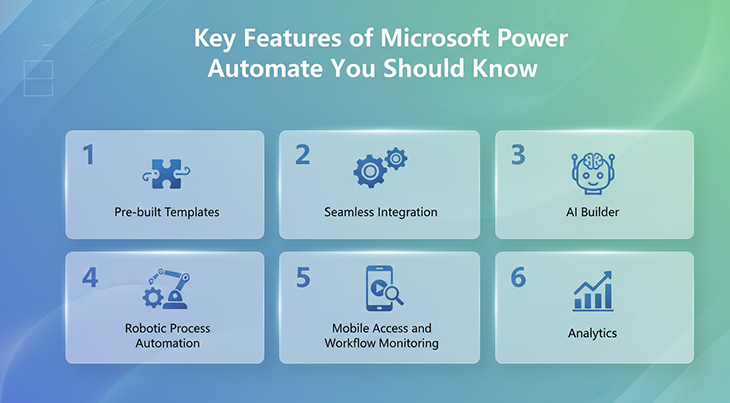
1. Pre-built Templates
A library of ready-made workflows for common tasks, saving email attachments, sending alerts, and handling standard approvals. These cut setup time significantly and let non-technical teams get started without building anything from scratch.
2. Native Microsoft 365 and Third-Party Integration
Direct integration with Outlook, Teams, and SharePoint, plus connectors for CRMs and other cloud platforms, so automation isn’t limited to Microsoft’s own ecosystem.
3. AI Builder
Adds AI capabilities to workflows, extracting data from documents, analyzing feedback, and generating predictive insights. Particularly useful for teams dealing with high document or data volume where manual review is the bottleneck.
4. Robotic Process Automation (RPA)
Automates repetitive interactions with systems that don’t have modern APIs, clicking, typing, data entry, especially useful for legacy software that predates automation-friendly design.
5. Mobile Access and Monitoring
Create, approve, and track workflows from a phone, useful for approvals that shouldn’t wait until someone’s back at a desk.
6. Built-In Analytics
Track run counts, failures, and processing times to see where a workflow is actually saving time versus where it needs adjustment.
Common Tasks Businesses Automate with Power Automate
- Email management: automatically sort, flag, or route emails based on rules, so nothing important sits unread in a shared inbox.
- Document approvals: route documents to the right approver automatically, with reminders that keep the process moving.
- Data collection and reporting: pull data from multiple sources into a single, automatically generated report.
- Task and calendar management: turn emails into tasks, update calendars, and send reminders automatically.
- File organization: automatically sort, categorize, and back up files based on rules like file type or naming convention.
Ready to Save Hours Every Week with Smart Automation?
Discover how Microsoft Power Automate can automate approvals, reporting, notifications, and repetitive tasks across your business.
Step-by-Step: Building Your First Automated Workflow
1. Sign in.
Log in with your Microsoft 365 business account and open the Power Automate dashboard.
2. Pick a flow type.
Automated cloud flow, instant flow, scheduled flow, or desktop flow, depending on what you’re trying to trigger.
3. Choose a trigger.
The event that starts everything: an email arriving, a file being added, a form submission, a record update.
4. Define the action.
What happens next: a notification, an Excel update, an approval routing, a file save.
5. Test it.
Run the flow against a real scenario before switching it on live.
6. Turn it on and monitor.
Activate the workflow and check back periodically to see whether it’s actually delivering the time savings you expected.
For businesses setting this up as part of a broader move to Microsoft 365, a migration checklist helps sequence the setup properly.
Microsoft Power Automate Pricing for SMEs in India
Pricing depends on scale and complexity. Many Microsoft 365 business plans include standard Power Automate functionality out of the box, enough to automate basic approvals, notifications, and scheduled tasks without buying anything extra.
Premium licensing becomes relevant for premium connectors, RPA, AI Builder, or workflows spanning multiple enterprise systems.
The smartest approach for most SMEs isn’t the biggest plan available; it’s matching the license to actual use cases. One department might genuinely need premium automation while others are fine on standard capabilities. Getting this mix right, rather than over-licensing everyone by default, is usually where the real cost savings come from.
Key Benefits of Power Automate for Business Productivity
Automation delivers measurable gains by cutting manual effort and improving consistency across the board. Teams spend less time on repetitive administrative work and more time on things that actually move the business forward.
1. Saves Time on Repetitive Work
Sending reminders, moving files, chasing approvals, updating spreadsheets- all of this adds up to real hours lost every week. Automating it frees people for customer-facing or growth-focused work instead.
2. Reduces Operational Costs
More output without more manual workload. Fewer hidden costs from delays, rework, and inefficient handoffs between people.
3. Improves Accuracy and Consistency
Manual work often leads to missed steps, data errors, and inconsistent execution. Automated workflows follow predefined rules every time, helping businesses maintain cleaner records, more reliable processes, and fewer costly mistakes.
4. Speeds Up Approvals and Decisions
Automated workflows follow the same rules every single time- no missed steps, no inconsistent execution depending on who’s handling it that day.
5. Increases Visibility Across Processes
Managers can see workflow status, pending actions, and completion rates in real time, instead of asking around to find out where something’s stuck.
6. Supports Growth Without Adding Complexity
As request volume grows, automated processes scale without requiring proportional headcount growth to manage them.
Best Practices for Successful Automation
To maximize the benefits of automation, businesses should follow a structured and practical approach rather than trying to automate everything at once.

- Start with high-volume, repetitive tasks. Approvals, reminders, and recurring reports deliver the fastest, most visible wins.
- Fix the process before automating it. Simplify first, automate second.
- Keep early workflows simple. Start small, expand once it’s working.
- Involve the people who’ll actually use it. They know exactly where the real friction is.
- Test thoroughly before launch. Cover real scenarios, permissions, and edge cases.
- Review and optimize regularly. Check usage, errors, and actual time saved periodically.
- Maintain proper governance. Access controls, approval permissions, and audit visibility matter more as workflows grow.
Common Challenges (and How to Handle Them)
Resistance to Change
Employees sometimes worry automation threatens their role. In practice, it removes the repetitive parts and leaves the higher-value work, clear communication fixes most of this.
Automating the wrong processes
Tasks that change frequently or depend heavily on judgment usually aren’t good candidates for automation. Stick to repetitive, rule-based work.
Overly complex workflow design.
Too many branches and exceptions make a workflow hard to maintain. Start simple, expand gradually.
Legacy system integration.
Older software without modern APIs can still be bridged using connectors, file-based methods, or RPA, without needing a full system replacement.
No clear ownership.
Every live workflow needs someone responsible for monitoring it; otherwise, failures go unnoticed, and the automation quietly stops delivering value.
Security and compliance gaps.
Poorly configured workflows can expose data or bypass controls that should be in place. Apply the same permission and logging discipline you’d use anywhere else.
Microsoft Power Automate vs. Zapier and Make: Which Automation Tool is Best?
| Feature | Power Automate | Zapier | Make |
|---|---|---|---|
| Microsoft 365 Integration | Excellent | Moderate | Moderate |
| Enterprise Security | Strong | Good | Good |
| RPA Capabilities | Yes | No | Limited |
| AI Features | Strong | Basic | Moderate |
| Best For | SMEs on Microsoft | SaaS-heavy workflows | Complex visual automations |
Power Automate’s biggest advantage is how deeply it sits inside a Microsoft 365 environment already in use, workflows connect directly across email, Teams, and document management without bolting on a separate tool. Its RPA and AI Builder features also go further than what Zapier or Make offer out of the box.
Zapier and Make remain strong choices for teams that live outside the Microsoft ecosystem or need quick, lightweight integrations. But for a business already running on Microsoft 365, Power Automate’s native fit usually wins on both cost and depth.
Where Business Automation Is Headed
AI-powered decisions.
Future workflows will analyze data and suggest next steps, automatically prioritizing leads or flagging unusual invoices.
Low-code citizen development.
More employees outside IT will build their own approved workflows, reducing the backlog on technical teams.
Predictive automation.
Systems will start flagging bottlenecks and missed SLAs before they become customer-facing problems, not just reacting after the fact.
Cross-department automation.
Finance, HR, sales, and support workflows will connect more directly, reducing manual handoffs between teams.
Stronger governance built in.
As automation scales, audit trails and policy enforcement will need to be part of the platform, not an afterthought bolted on later.
Conclusion
Automation isn’t optional for growing businesses anymore, it’s a real competitive advantage. Power Automate helps reduce manual work, improve accuracy, speed up approvals, and free teams to focus on what actually needs a person’s attention. For SMEs already on Microsoft 365 Business, it’s a practical, low-cost path into automation rather than a major new investment.
Need Help Automating Daily Workflows with Microsoft 365?
Our team helps businesses automate approvals, reports, document routing, and repetitive tasks using Power Automate.